
One tap from the job. Line items, VAT and the due date carried over from the quote.
Invoicing
Send the invoice from the job you just flew. Paid into your own account.
The quote becomes the invoice, the invoice carries a payment link, and the money shows up against the client without you retyping anything.
From quote to paid. Without retyping a line.
Your name on it. Your logo and your footer, sent as a PDF or a payment page.
A payment page on every invoice. Card or bank transfer, whichever the client prefers.
InvoicesInvoices, £1,740 outstanding
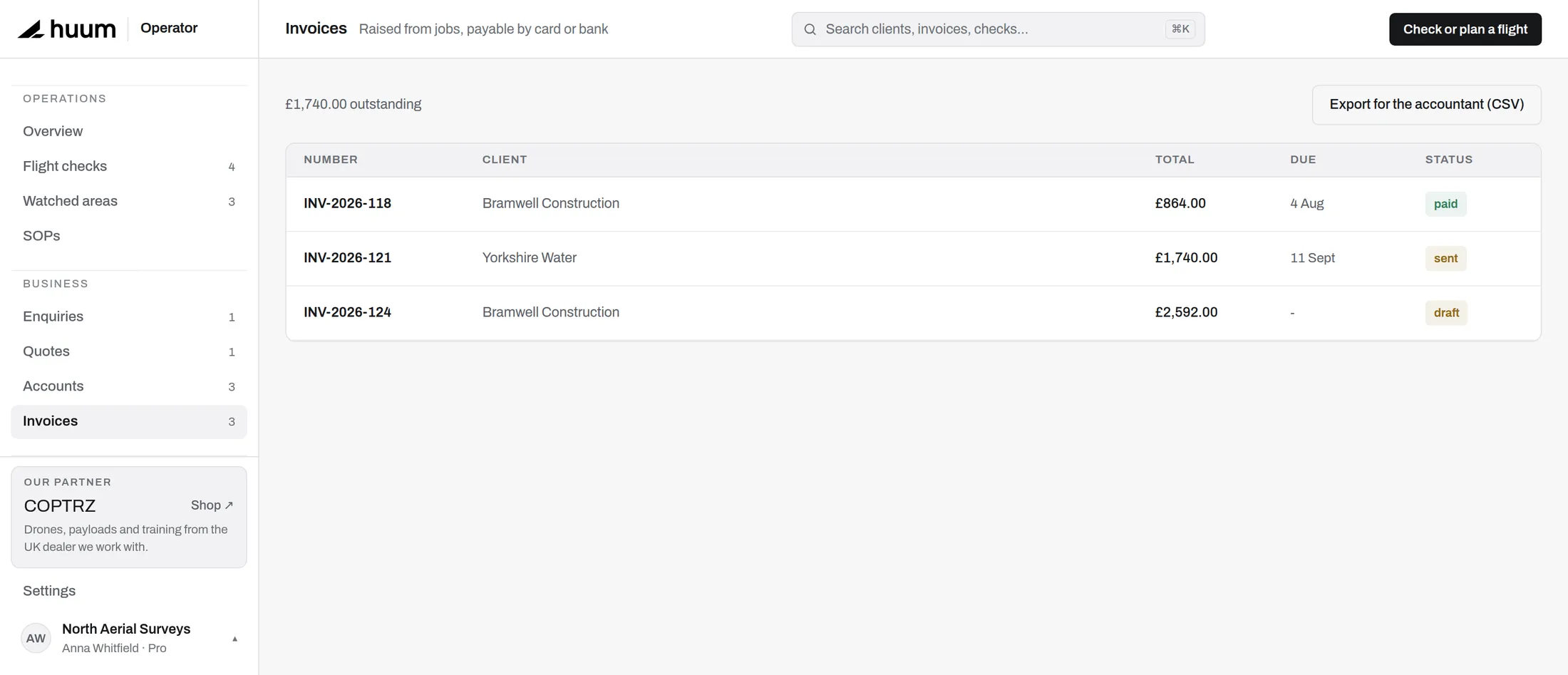 Sent 11 Sep with a card payment link
Payments through Stripe
Paid into your Stripe. Not ours, and never held.
Connect your own Stripe account and card payments land in your account, not ours, marking the invoice paid automatically.
- A direct charge. The client pays you. huum never holds the money in between.
- Marked paid for you. A card payment closes the invoice against the client.
- Bank transfer too. Bank transfers use the account details printed on the invoice, and you mark those paid yourself.
Deposits, stages and the late payer. Handled from the same record.
Paid in stages. Take a deposit to book and the rest on delivery.
Chasing, without the awkward email. Overdue invoices flagged on your dashboard, with the payment link one tap away to send again yourself.
The rest of the money side. Small jobs that eat an evening.
Repeat work
Monthly progress capture on the same site: duplicate last month's invoice in one tap, against the same client.
Your accountant's copy
Export invoices and payments as CSV for the period they ask for, per client or across the whole operation.
Where the invoice starts.
Clients, sites, jobs and the quote that becomes this invoice.
Back to the CRMQuote, fly, invoice, paid.
Connect your Stripe account and the next invoice you raise can be paid by card, straight into your account.