
Three possible answers. Each with what to do about it.
Flight checks
Draw it. Get a verdict. Keep the record.
A check takes about twenty seconds. It answers what applies to your area, for your window, at your height, in words you can repeat to a client.
About twenty secondsDraw the area, set the height and the time, press check.
Official airspace dataControlled airspace from the UK AIP (ENR) on the 28-day AIRAC cycle.
NOTAMs, liveTemporary restrictions judged against the window you set.
Free to runThe map and unlimited checks are free. Keeping the record starts on Pro.
The verdict, then the reasons for it. Each one in plain English.
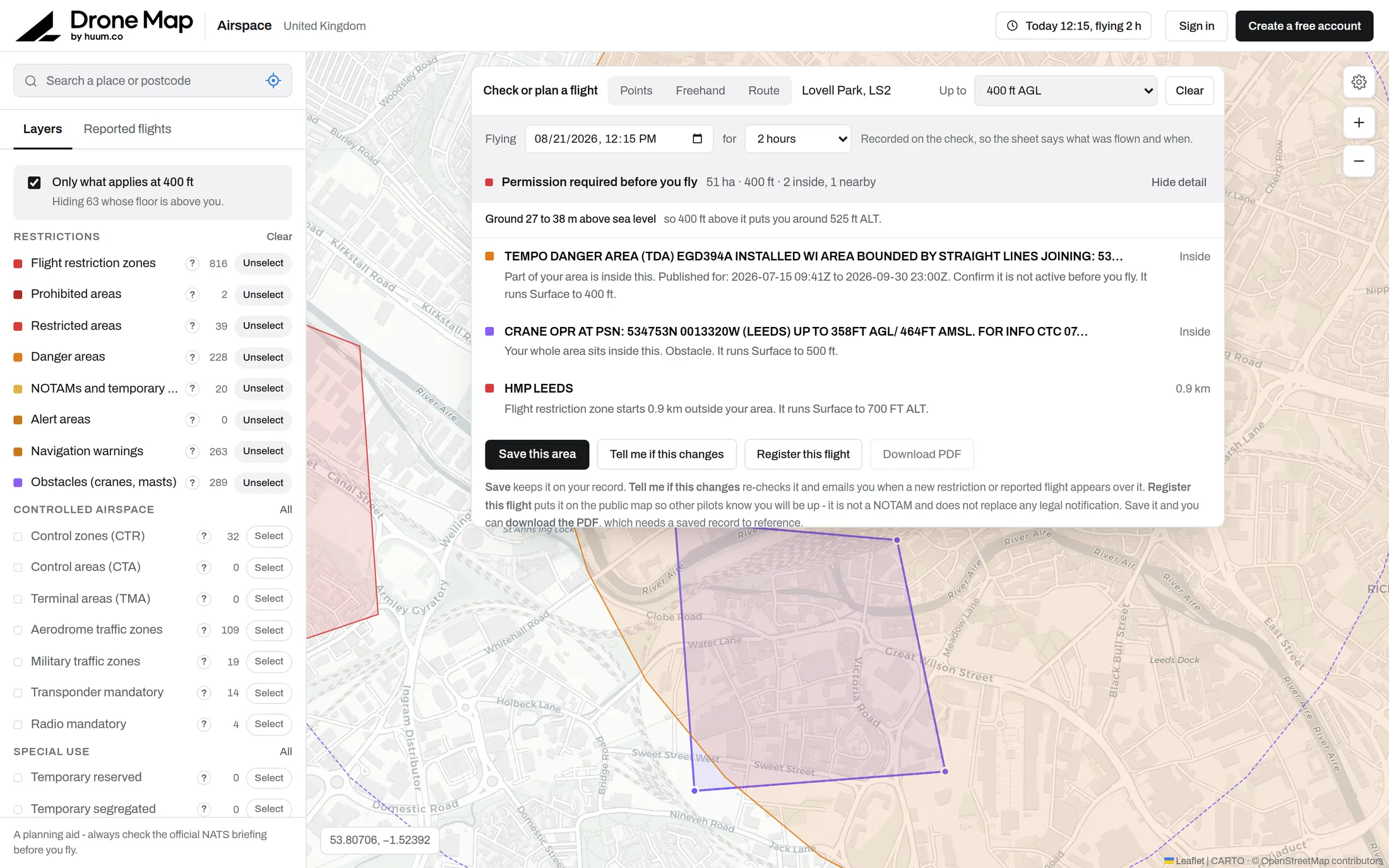
Drone Map, flight checkShow detail: three findings
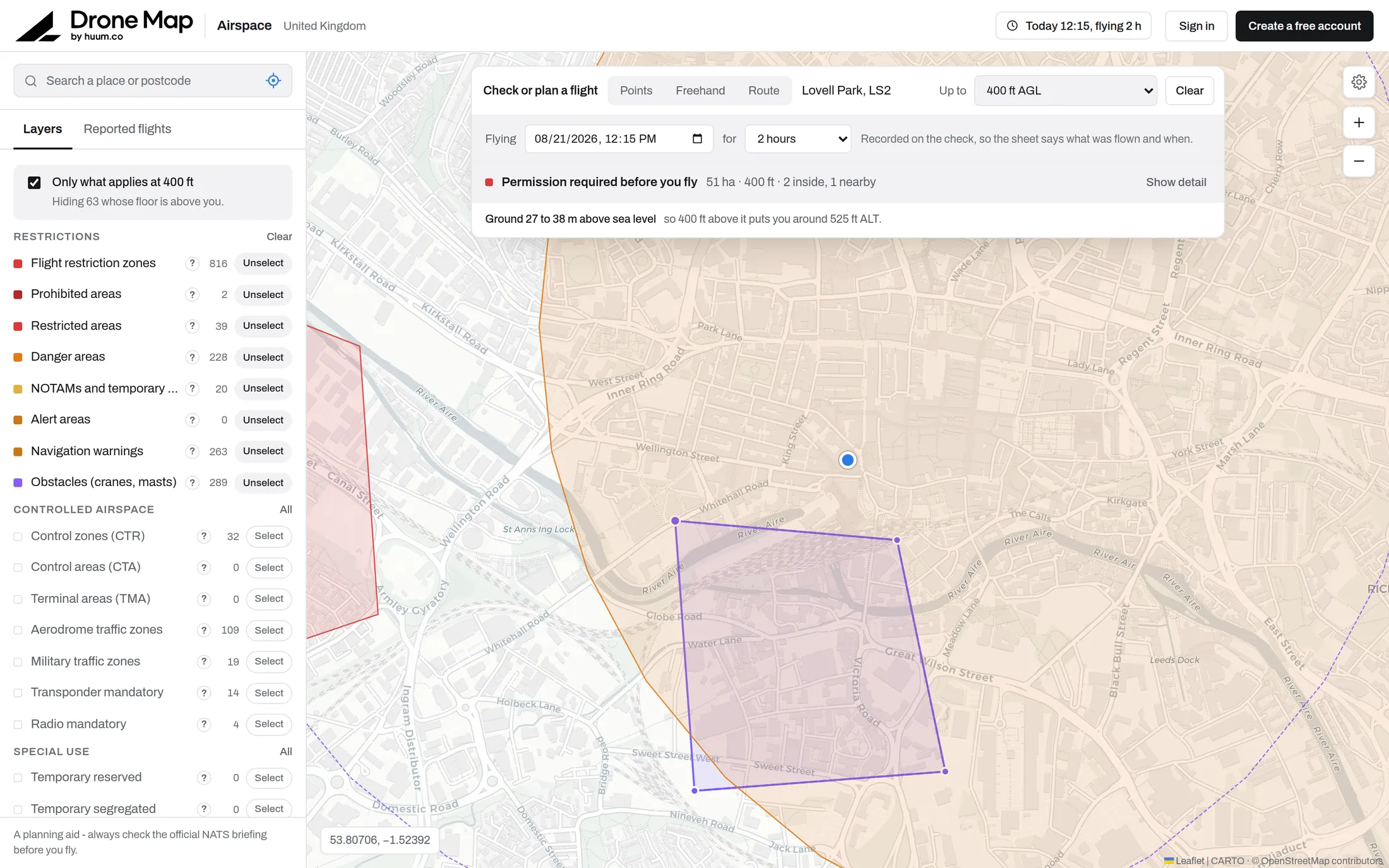
Three ways to define the area. Whatever shape the job is.
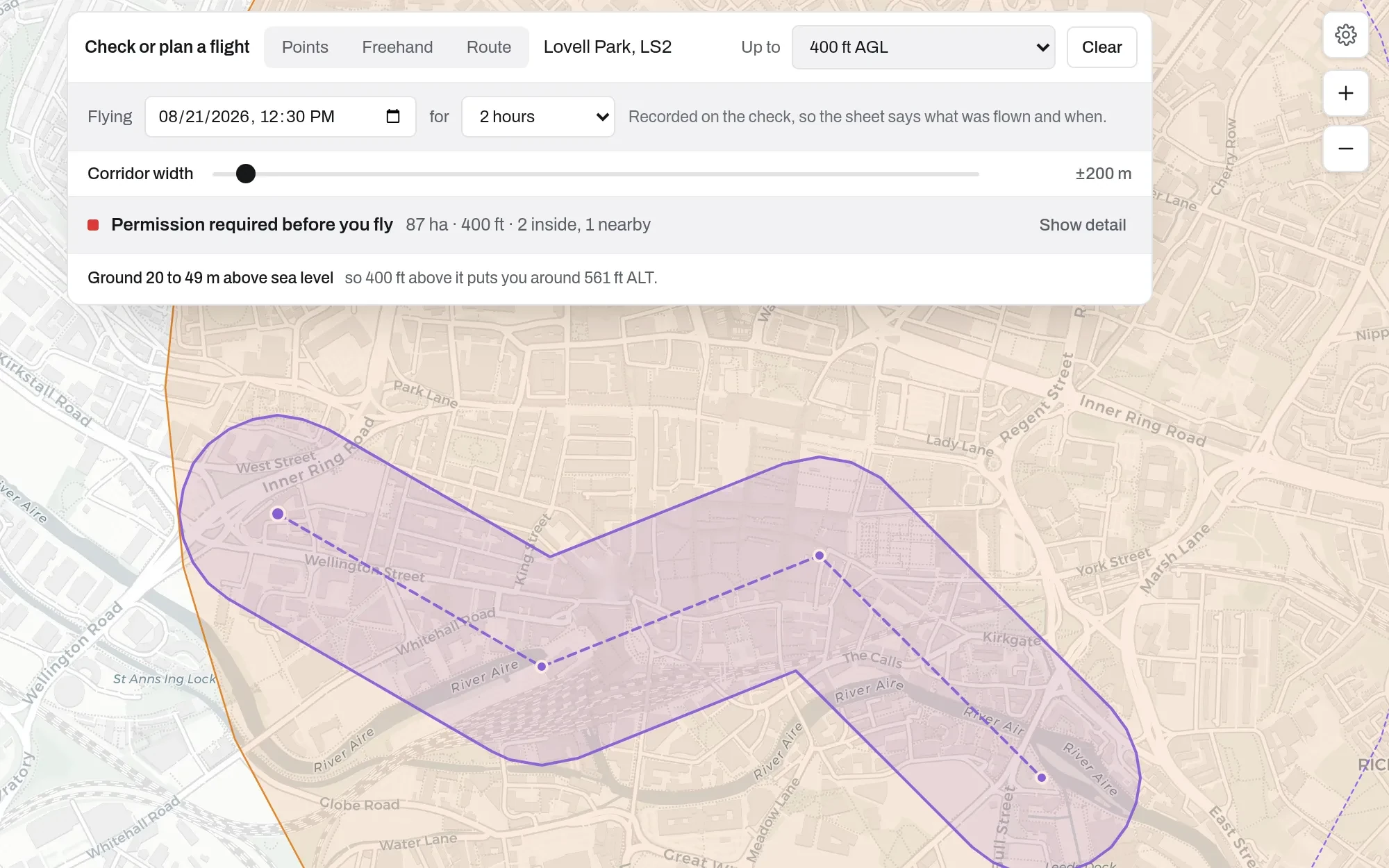
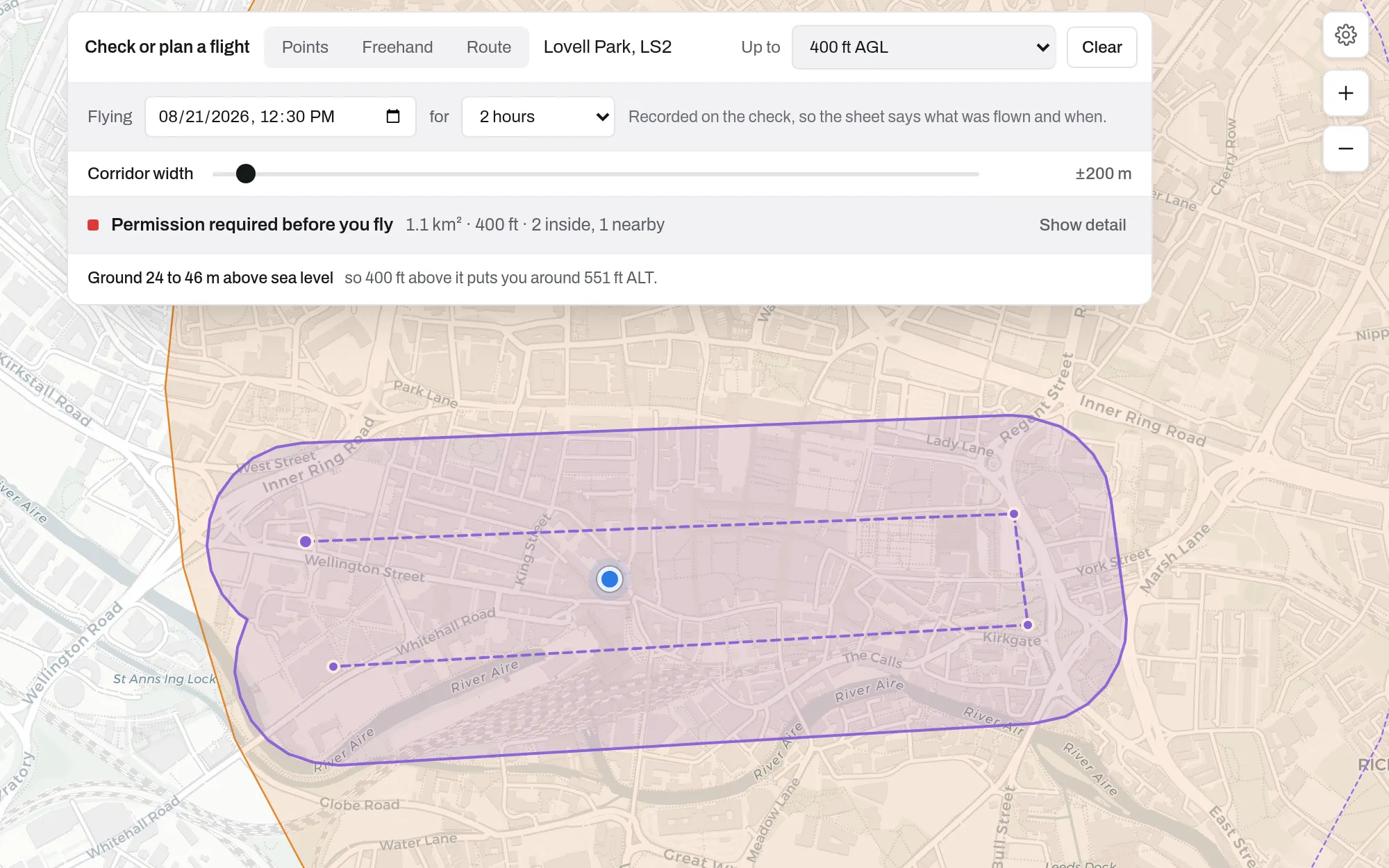
Corners, freehand or a route. Pick the one that fits the site.
Route, corridor ±200 mRoute doubling back, merged
Checked for when you fly. Not for right now.
- Your actual flight window. Set when you are flying, for how long and at what height. Time-limited restrictions are judged against that window, not against right now.
- Inside and nearby. Every finding is listed and explained: what your area intersects, and what sits close enough to matter.
- Or right-click the map. Check a 500 m area here.
A dated evidence record. On the job it belongs to.
Flight checksFlight checks, 1 blocked
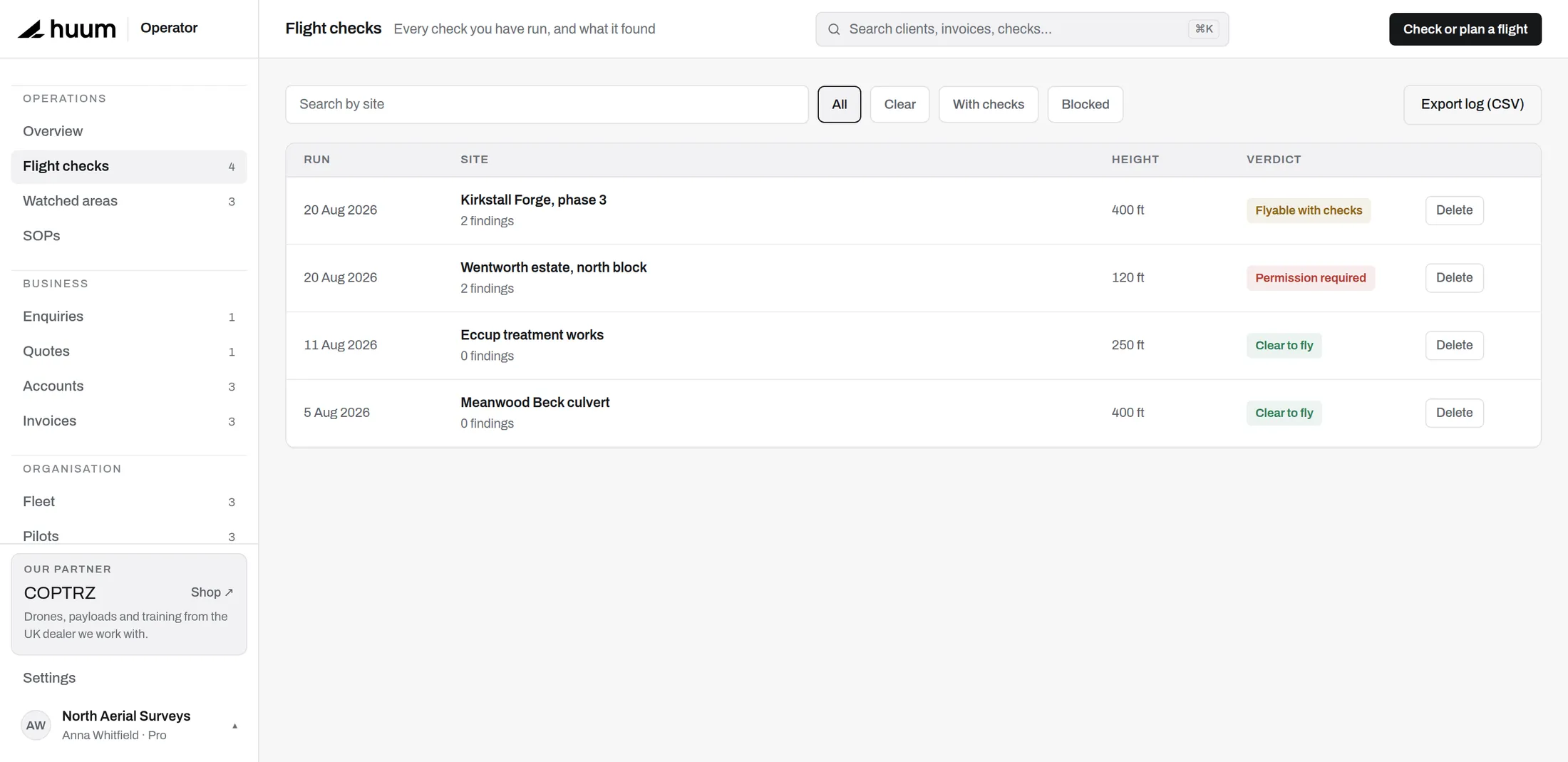 Permission required at 120 ft
Kept as it was. The airspace picture at the moment you ran it, attached to the job.
Export as a PDF
A white-labelled pre-flight record for clients, insurers or the CAA.
Free to check, Pro to keep
The map and unlimited checks are free. Keeping the record starts on Pro.
The check sits on the job.
Next to the client, the site, the quote and the invoice.
See the CRMCheck your next site in under a minute.
The map and unlimited checks are free. Keeping the record starts on Pro.